
- Once access to the Blacklist tool has been approved on your account, the steps below will guide you through uploading or removing an IMEI.
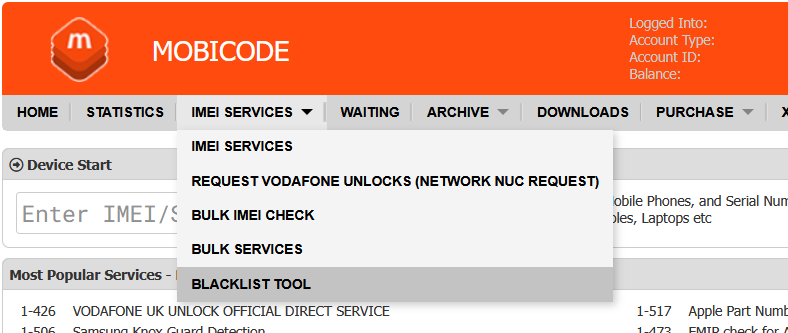
1. In the web portal, navigate to IMEI SERVICES and then click on BLACKLIST TOOL.
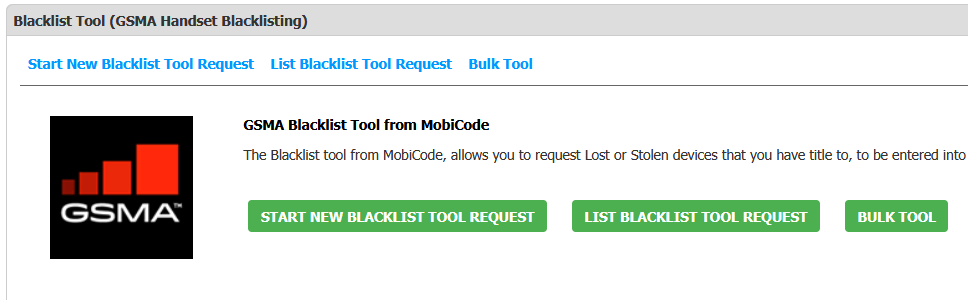
2. Click Start New Blacklist Tool Request.
3. Enter the IMEI in the IMEI field. Enter your reference number, cri me reference (if available) and any notes you may have. Select Add to Blacklist from the dropdown and then click Next. 
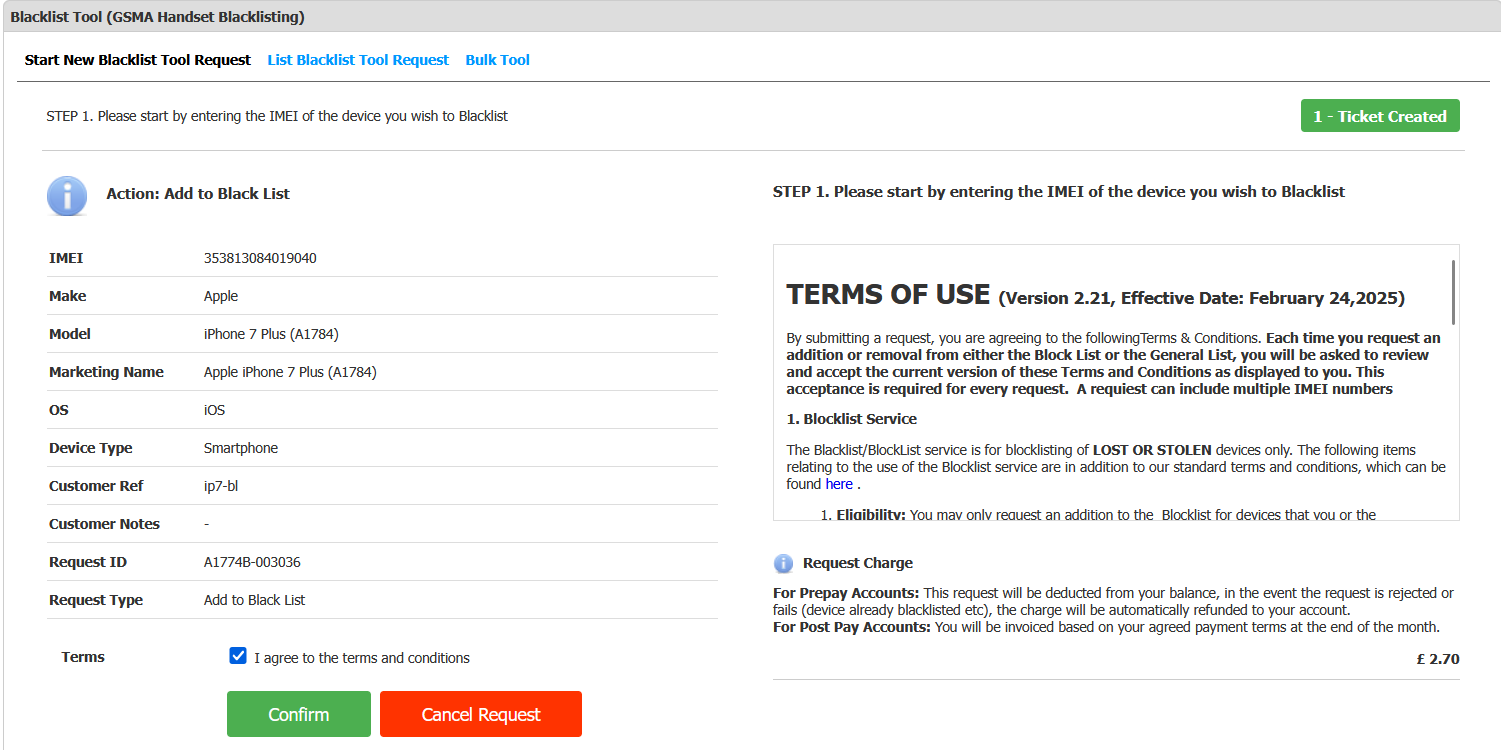
4. On the next page, you will be presented with the T&Cs and cost of the Blacklist entry. Click the check box to confirm the T&Cs, and then click Confirm.
The Blacklist entry will now be processed.
5. To remove a device from the Blacklist, enter the IMEI and reference number, select Remove From Blacklist and click Next. Again, you will be presented with the T&Cs; click the checkbox, then confirm to submit the request. 